-
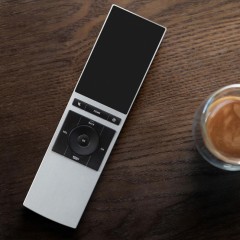
NEEO – The Thinking Remote
Warning: preg_replace(): The /e modifier is no longer supported, use preg_replace_callback instead in /home/httpd/vhosts/pixelinvaders.ch/httpdocs/neophob.com/wp-content/plugins/codecolorer/codecolorer-core.php on line 49 Warning: preg_replace(): The /e modifier is no longer supported, use preg_replace_callback instead in /home/httpd/vhosts/pixelinvaders.ch/httpdocs/neophob.com/wp-content/plugins/codecolorer/codecolorer-core.php on line 50 Warning: preg_replace(): The /e modifier is no longer supported, use preg_replace_callback instead in /home/httpd/vhosts/pixelinvaders.ch/httpdocs/neophob.com/wp-content/plugins/codecolorer/codecolorer-core.php on line 49 Warning: preg_replace(): The /e modifier is no longer supported, use preg_replace_callback instead in /home/httpd/vhosts/pixelinvaders.ch/httpdocs/neophob.com/wp-content/plugins/codecolorer/codecolorer-core.php on line 50 -
Run ARM binaries in your Docker Container using Boot2Docker…
Warning: preg_replace(): The /e modifier is no longer supported, use preg_replace_callback instead in /home/httpd/vhosts/pixelinvaders.ch/httpdocs/neophob.com/wp-content/plugins/codecolorer/codecolorer-core.php on line 49 Warning: preg_replace(): The /e modifier is no longer supported, use preg_replace_callback instead in /home/httpd/vhosts/pixelinvaders.ch/httpdocs/neophob.com/wp-content/plugins/codecolorer/codecolorer-core.php on line 50 Warning: preg_replace(): The /e modifier is no longer supported, use preg_replace_callback instead in /home/httpd/vhosts/pixelinvaders.ch/httpdocs/neophob.com/wp-content/plugins/codecolorer/codecolorer-core.php on line 49 Warning: preg_replace(): The /e modifier is no longer supported, use preg_replace_callback instead in /home/httpd/vhosts/pixelinvaders.ch/httpdocs/neophob.com/wp-content/plugins/codecolorer/codecolorer-core.php on line 50 -

INCEPTION – A Docker image that build Docker images…
Warning: preg_replace(): The /e modifier is no longer supported, use preg_replace_callback instead in /home/httpd/vhosts/pixelinvaders.ch/httpdocs/neophob.com/wp-content/plugins/codecolorer/codecolorer-core.php on line 49 Warning: preg_replace(): The /e modifier is no longer supported, use preg_replace_callback instead in /home/httpd/vhosts/pixelinvaders.ch/httpdocs/neophob.com/wp-content/plugins/codecolorer/codecolorer-core.php on line 50 Warning: preg_replace(): The /e modifier is no longer supported, use preg_replace_callback instead in /home/httpd/vhosts/pixelinvaders.ch/httpdocs/neophob.com/wp-content/plugins/codecolorer/codecolorer-core.php on line 49 Warning: preg_replace(): The /e modifier is no longer supported, use preg_replace_callback instead in /home/httpd/vhosts/pixelinvaders.ch/httpdocs/neophob.com/wp-content/plugins/codecolorer/codecolorer-core.php on line 50 -
PixelInvaders featuring True – Vertyko Video
Warning: preg_replace(): The /e modifier is no longer supported, use preg_replace_callback instead in /home/httpd/vhosts/pixelinvaders.ch/httpdocs/neophob.com/wp-content/plugins/codecolorer/codecolorer-core.php on line 49 Warning: preg_replace(): The /e modifier is no longer supported, use preg_replace_callback instead in /home/httpd/vhosts/pixelinvaders.ch/httpdocs/neophob.com/wp-content/plugins/codecolorer/codecolorer-core.php on line 50 Warning: preg_replace(): The /e modifier is no longer supported, use preg_replace_callback instead in /home/httpd/vhosts/pixelinvaders.ch/httpdocs/neophob.com/wp-content/plugins/codecolorer/codecolorer-core.php on line 49 Warning: preg_replace(): The /e modifier is no longer supported, use preg_replace_callback instead in /home/httpd/vhosts/pixelinvaders.ch/httpdocs/neophob.com/wp-content/plugins/codecolorer/codecolorer-core.php on line 50 -
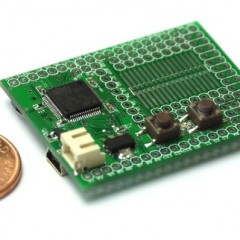
Espruino and WS2801
Warning: preg_replace(): The /e modifier is no longer supported, use preg_replace_callback instead in /home/httpd/vhosts/pixelinvaders.ch/httpdocs/neophob.com/wp-content/plugins/codecolorer/codecolorer-core.php on line 49 Warning: preg_replace(): The /e modifier is no longer supported, use preg_replace_callback instead in /home/httpd/vhosts/pixelinvaders.ch/httpdocs/neophob.com/wp-content/plugins/codecolorer/codecolorer-core.php on line 50 Warning: preg_replace(): The /e modifier is no longer supported, use preg_replace_callback instead in /home/httpd/vhosts/pixelinvaders.ch/httpdocs/neophob.com/wp-content/plugins/codecolorer/codecolorer-core.php on line 49 Warning: preg_replace(): The /e modifier is no longer supported, use preg_replace_callback instead in /home/httpd/vhosts/pixelinvaders.ch/httpdocs/neophob.com/wp-content/plugins/codecolorer/codecolorer-core.php on line 50 -
PixelController v2.0.0 released
Warning: preg_replace(): The /e modifier is no longer supported, use preg_replace_callback instead in /home/httpd/vhosts/pixelinvaders.ch/httpdocs/neophob.com/wp-content/plugins/codecolorer/codecolorer-core.php on line 49 Warning: preg_replace(): The /e modifier is no longer supported, use preg_replace_callback instead in /home/httpd/vhosts/pixelinvaders.ch/httpdocs/neophob.com/wp-content/plugins/codecolorer/codecolorer-core.php on line 50 Warning: preg_replace(): The /e modifier is no longer supported, use preg_replace_callback instead in /home/httpd/vhosts/pixelinvaders.ch/httpdocs/neophob.com/wp-content/plugins/codecolorer/codecolorer-core.php on line 49 Warning: preg_replace(): The /e modifier is no longer supported, use preg_replace_callback instead in /home/httpd/vhosts/pixelinvaders.ch/httpdocs/neophob.com/wp-content/plugins/codecolorer/codecolorer-core.php on line 50 -
RPi, Java and RXTX
Warning: preg_replace(): The /e modifier is no longer supported, use preg_replace_callback instead in /home/httpd/vhosts/pixelinvaders.ch/httpdocs/neophob.com/wp-content/plugins/codecolorer/codecolorer-core.php on line 49 Warning: preg_replace(): The /e modifier is no longer supported, use preg_replace_callback instead in /home/httpd/vhosts/pixelinvaders.ch/httpdocs/neophob.com/wp-content/plugins/codecolorer/codecolorer-core.php on line 50 Warning: preg_replace(): The /e modifier is no longer supported, use preg_replace_callback instead in /home/httpd/vhosts/pixelinvaders.ch/httpdocs/neophob.com/wp-content/plugins/codecolorer/codecolorer-core.php on line 49 Warning: preg_replace(): The /e modifier is no longer supported, use preg_replace_callback instead in /home/httpd/vhosts/pixelinvaders.ch/httpdocs/neophob.com/wp-content/plugins/codecolorer/codecolorer-core.php on line 50 -
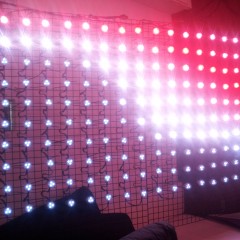
PixelController v1.5.0 released
Warning: preg_replace(): The /e modifier is no longer supported, use preg_replace_callback instead in /home/httpd/vhosts/pixelinvaders.ch/httpdocs/neophob.com/wp-content/plugins/codecolorer/codecolorer-core.php on line 49 Warning: preg_replace(): The /e modifier is no longer supported, use preg_replace_callback instead in /home/httpd/vhosts/pixelinvaders.ch/httpdocs/neophob.com/wp-content/plugins/codecolorer/codecolorer-core.php on line 50 Warning: preg_replace(): The /e modifier is no longer supported, use preg_replace_callback instead in /home/httpd/vhosts/pixelinvaders.ch/httpdocs/neophob.com/wp-content/plugins/codecolorer/codecolorer-core.php on line 49 Warning: preg_replace(): The /e modifier is no longer supported, use preg_replace_callback instead in /home/httpd/vhosts/pixelinvaders.ch/httpdocs/neophob.com/wp-content/plugins/codecolorer/codecolorer-core.php on line 50 -
RPC calls and mysterious 40ms delay
Warning: preg_replace(): The /e modifier is no longer supported, use preg_replace_callback instead in /home/httpd/vhosts/pixelinvaders.ch/httpdocs/neophob.com/wp-content/plugins/codecolorer/codecolorer-core.php on line 49 Warning: preg_replace(): The /e modifier is no longer supported, use preg_replace_callback instead in /home/httpd/vhosts/pixelinvaders.ch/httpdocs/neophob.com/wp-content/plugins/codecolorer/codecolorer-core.php on line 50 Warning: preg_replace(): The /e modifier is no longer supported, use preg_replace_callback instead in /home/httpd/vhosts/pixelinvaders.ch/httpdocs/neophob.com/wp-content/plugins/codecolorer/codecolorer-core.php on line 49 Warning: preg_replace(): The /e modifier is no longer supported, use preg_replace_callback instead in /home/httpd/vhosts/pixelinvaders.ch/httpdocs/neophob.com/wp-content/plugins/codecolorer/codecolorer-core.php on line 50 -
PhoneGap 3 for Dummies, Part 2: Create a native Plugin
Warning: preg_replace(): The /e modifier is no longer supported, use preg_replace_callback instead in /home/httpd/vhosts/pixelinvaders.ch/httpdocs/neophob.com/wp-content/plugins/codecolorer/codecolorer-core.php on line 49 Warning: preg_replace(): The /e modifier is no longer supported, use preg_replace_callback instead in /home/httpd/vhosts/pixelinvaders.ch/httpdocs/neophob.com/wp-content/plugins/codecolorer/codecolorer-core.php on line 50 Warning: preg_replace(): The /e modifier is no longer supported, use preg_replace_callback instead in /home/httpd/vhosts/pixelinvaders.ch/httpdocs/neophob.com/wp-content/plugins/codecolorer/codecolorer-core.php on line 49 Warning: preg_replace(): The /e modifier is no longer supported, use preg_replace_callback instead in /home/httpd/vhosts/pixelinvaders.ch/httpdocs/neophob.com/wp-content/plugins/codecolorer/codecolorer-core.php on line 50 -

Cevian Raspberry, Demodays 2013 entry
Warning: preg_replace(): The /e modifier is no longer supported, use preg_replace_callback instead in /home/httpd/vhosts/pixelinvaders.ch/httpdocs/neophob.com/wp-content/plugins/codecolorer/codecolorer-core.php on line 49 Warning: preg_replace(): The /e modifier is no longer supported, use preg_replace_callback instead in /home/httpd/vhosts/pixelinvaders.ch/httpdocs/neophob.com/wp-content/plugins/codecolorer/codecolorer-core.php on line 50 Warning: preg_replace(): The /e modifier is no longer supported, use preg_replace_callback instead in /home/httpd/vhosts/pixelinvaders.ch/httpdocs/neophob.com/wp-content/plugins/codecolorer/codecolorer-core.php on line 49 Warning: preg_replace(): The /e modifier is no longer supported, use preg_replace_callback instead in /home/httpd/vhosts/pixelinvaders.ch/httpdocs/neophob.com/wp-content/plugins/codecolorer/codecolorer-core.php on line 50 -
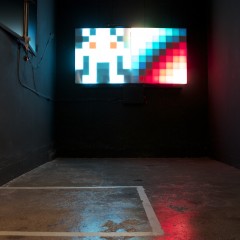
PixelInvaders at SOON Gallery Bern, ON/OFF
Warning: preg_replace(): The /e modifier is no longer supported, use preg_replace_callback instead in /home/httpd/vhosts/pixelinvaders.ch/httpdocs/neophob.com/wp-content/plugins/codecolorer/codecolorer-core.php on line 49 Warning: preg_replace(): The /e modifier is no longer supported, use preg_replace_callback instead in /home/httpd/vhosts/pixelinvaders.ch/httpdocs/neophob.com/wp-content/plugins/codecolorer/codecolorer-core.php on line 50 Warning: preg_replace(): The /e modifier is no longer supported, use preg_replace_callback instead in /home/httpd/vhosts/pixelinvaders.ch/httpdocs/neophob.com/wp-content/plugins/codecolorer/codecolorer-core.php on line 49 Warning: preg_replace(): The /e modifier is no longer supported, use preg_replace_callback instead in /home/httpd/vhosts/pixelinvaders.ch/httpdocs/neophob.com/wp-content/plugins/codecolorer/codecolorer-core.php on line 50
PixelInvaders.ch
I sell cool Stuff at the
PixelInvaders Shop, take a look!




PixelInvaders
StripInvaders
ExpeditInvaders
Recent Comments